


Zurna: AI Song & Music Maker
4.4215.00 Reviews
App Specs
- Version
- 1.8.6
- Updated On
- License
- Free
- Downloads
- 100,000+
- Developer
- Pixery Bilgi Teknolojileri
- Categories
- Music & Audio
- Platform
- Android
Screenshots
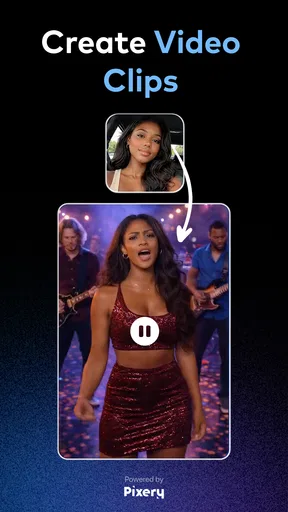
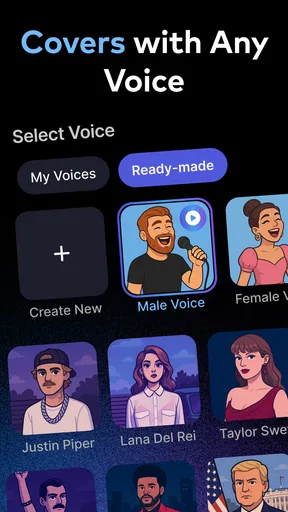
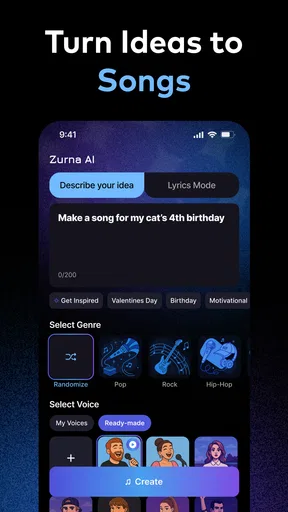
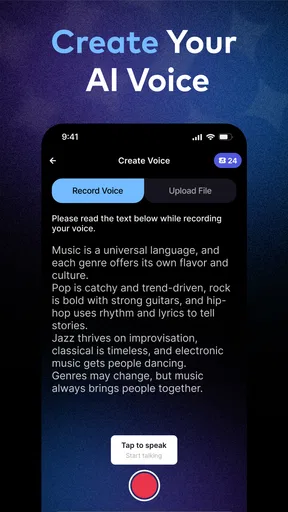
 Analysis by AppCompare
I approached Zurna: AI Song & Music Maker as a quick music-making tool rather than a replacement for a full digital audio workstation. That distinction matters. The app is built for turning an idea into something listenable without requiring formal production skills, and its appeal is easy to understand: you can experiment with songs and voice-based creations from a phone instead of opening a complicated desktop project.
My first impression was that Zurna works best when I treat it like a sketchbook. I start with a clear idea, test a few directions, and keep the result that feels closest to what I imagined. It is especially approachable for short creative sessions, playful musical experiments, and people who want to hear a concept before learning the deeper technical side of music production.
Starting with a simple idea instead of chasing a perfect song
The most useful baseline workflow is deliberately uncomplicated. I begin with the mood or purpose of the track: something upbeat for a short video, a relaxed background piece, a playful song for friends, or a vocal experiment. Having that goal in mind makes the creative choices easier than opening the app with no direction at all.
From there, I work in small passes. I first create a broad version, listen for whether the overall feeling is right, and only then decide what needs changing. This habit prevents a common problem with AI music apps: repeatedly generating alternatives without knowing what makes one version better than another.
Zurna is a Music & Audio app from Pixery Bilgi Teknolojileri, and the experience is clearly aimed at accessibility. Its store summary focuses on creating custom songs and cloning voices without requiring specialist skills. In practice, that makes it a friendly starting point for curious users, but I still recommend approaching each generation as a draft rather than a finished master.
A realistic everyday use case would be preparing a short birthday greeting. I can begin with the person’s personality and the tone I want, create a musical idea, listen for awkward phrasing or an unsuitable mood, and then revise the concept. The value is not only the final audio. The app makes it easier to move from “I have an idea” to “I can hear a version of it.”
How I organize a repeatable creation routine
I get more consistent results when I separate the creative decisions. First I decide what the song should feel like. Next I think about the role of the voice, if I am using one. Only after that do I worry about whether the arrangement feels energetic, calm, dramatic, or humorous.
Worth Reading Before You Choose

Flipboard Shows What News Apps Must Do Beyond the Feed

Switching to Android Auto Means Rethinking Your Driving Routine

Google Calendar Makes a Crowded Week Easier to Manage

Ludo King Makes the Most of the Minutes Between Plans

Baby Panda World Brings Quick Play to Modern Phones, but Its Game Library Feels Busy

ESPN’s Live Game View Makes Following Close Games Easier
This order is a small but important improvement over changing everything at once. If the mood, lyrics, and voice direction all change between attempts, it becomes difficult to understand which choice helped. Keeping most of the idea stable while adjusting one element gives me a clearer comparison.
Another useful habit is saving or noting the wording behind an attempt that works well. Even when I am making something casual, remembering the successful concept helps me recreate its character later. I do not rely on random experimentation alone; I treat each good result as a starting point for a more controlled variation.
That approach also makes Zurna more practical for recurring tasks. Someone making several social clips, personal greetings, or themed audio snippets can establish a recognizable style and then change only the subject. The app feels less like a one-button novelty when it becomes part of a small creative routine.
Settings and choices worth checking before generating
Before committing to a result, I pay attention to the choices that affect the identity of the piece. The most important one is the relationship between the song idea and the voice. A voice can attract attention, but it can also distract from the music if the tone does not fit the subject.
I also listen for whether the vocal character suits the intended audience. A playful voice may work for a private joke but feel wrong for a sincere message. Likewise, a dramatic delivery can make a simple idea sound heavier than intended. The practical lesson is to decide whether the voice is the main attraction or simply one layer inside the song.
When exploring voice cloning, I would use only voices that I have a clear right to use and would avoid treating the feature as permission to imitate another person casually. This is not just a technical preference. A generated voice can carry personal and reputational consequences, so responsible use should be part of the workflow from the beginning.
The app is free to install, which makes trying the basic experience easy. It also includes in-app purchases ranging from $6.99 to $44.99 per item, so I would spend time learning the workflow before paying for anything. A sensible approach is to decide what kind of output I actually need, rather than purchasing simply because an early attempt is not perfect.
For a casual user, the most important “setting” may be the amount of ambition brought to the session. Zurna is more enjoyable when I ask it to help shape an idea than when I expect it to replace every stage of songwriting, arrangement, editing, and mastering.
Small habits that make the app faster to use
Experienced use is less about pressing buttons quickly and more about reducing indecision. I prepare the concept before opening the creation flow, using a short description of the mood, subject, and intended listener. This keeps the first attempt focused and makes later comparisons more meaningful.
I also avoid changing several variables after every result. If the melody feels suitable but the vocal character does not, I keep the musical direction and revise the voice-related choice. If the voice works but the mood is wrong, I change the mood while protecting the part that already succeeded.
A second efficient pattern is to create a small set of deliberately different drafts rather than many nearly identical ones. One can be restrained, another energetic, and another more unusual. This gives me a useful range quickly and helps reveal which direction has the strongest potential.
For short-form content, I think about the opening moment before anything else. A track intended to accompany a quick clip needs an immediately understandable character. A slower build may be better for personal listening, but it may not communicate its purpose quickly enough in a short presentation.
I also listen away from the creation screen. A result that seems exciting while I am actively judging it can feel tiring after several plays. Taking a short break, or listening while doing another simple task, helps me decide whether the song is genuinely usable or merely interesting because it is new.
These habits are particularly helpful on a phone. Mobile creation is convenient, but the smaller screen and shorter sessions encourage impulsive choices. A repeatable process gives the app structure without turning it into a technical chore.
Where Zurna fits beside ordinary music tools
Compared with a traditional digital audio workstation, Zurna is much easier to approach. A full workstation gives detailed control over tracks, effects, timing, recording, and editing, but that flexibility comes with a learning curve. If I want to sculpt every drum hit or manually repair every vocal phrase, a dedicated production tool remains the better choice.
Compared with a standard audio editor, Zurna is more idea-oriented. An editor is useful when I already have recordings and need to cut, arrange, or clean them. Zurna is more appealing when I want help producing the initial musical concept or exploring a voice-led direction.
It also differs from ordinary streaming services because the point is creation rather than passive listening. Someone who only wants a large catalog of finished music will probably be happier with a streaming app. Zurna makes more sense for the person who wants to participate, experiment, and produce something personal.
The trade-off is control. Simplicity is a strength when I want a quick result, but it can become a limitation when a project demands exact arrangement decisions. I would choose Zurna for ideation, informal sharing, and creative prompts; I would move to more specialized software when precision becomes the main requirement.
Voice cloning requires extra care and realistic expectations
The voice-focused side is the feature that most clearly separates Zurna from a basic song generator, but it is also the part I would approach most carefully. A recognizable voice can make a result feel personal, yet it can also make the output feel uncomfortable if the source, context, or intended audience is not appropriate.
I would keep experiments clearly labeled as generated when sharing them with others. That is especially important when the voice resembles a real person. Even in a harmless creative project, listeners may assume the person actually spoke or sang the words unless the context is obvious.
There is also a creative limitation: a cloned voice does not automatically make weak writing or an unfocused song more convincing. The underlying idea still matters. I get better results when I write or choose a concept that matches the voice’s apparent character instead of expecting the voice itself to carry the entire piece.
For private experimentation, the feature can be entertaining and useful. For public projects, I would be much more selective about whose voice is involved, how the result is presented, and whether the audience could misunderstand its origin. That responsibility is part of using the feature well, not an optional extra.
Limits that become clearer with regular use
The biggest limitation is that convenience can encourage shallow iteration. It is easy to produce several versions, but quantity does not guarantee quality. I still need to judge the writing, the musical fit, the vocal delivery, and whether the result serves its purpose.
Another limitation is that a mobile AI workflow may not satisfy users who want detailed control over every musical component. If I am trying to reproduce a precise arrangement, build a polished professional release, or edit individual elements with surgical accuracy, I would rather use software designed around manual production.
There is also a practical cost consideration. Because optional purchases can become substantial, I would not assume that every creative session should lead to a purchase. The free entry point is useful for evaluating whether the app matches my habits, while paid items make more sense only after I understand how often I will use the results.
Device compatibility is relatively broad: the app supports Android versions from 7.0 onward. That helps users with older phones try it, although the experience of any creation app can still depend on the device itself, available storage, and how comfortable the user is working on a mobile screen.
Zurna carries an Everyone content rating, which suits its general creative positioning. Even so, the voice-cloning capability deserves more mature judgment than the age label alone might suggest. Younger users may need guidance about consent, impersonation, and sharing generated audio.
Who will enjoy it most
I would recommend Zurna to beginners who want to make songs without studying production software first. It is also a good fit for people who enjoy playful experiments, creators who need quick audio concepts, and anyone who wants to turn a personal message into something more memorable.
It can be useful for educators or hobbyists who need a quick musical starting point, provided the output is treated as a draft and the voice features are used responsibly. The app’s approachable design makes it less intimidating than a conventional workstation.
I would be more cautious recommending it to a professional musician who expects complete control, or to someone who needs dependable editing and mixing tools for a finished commercial release. Those users may appreciate Zurna during brainstorming but will likely need another application for the final production stages.
I would also suggest skipping it if the only goal is listening to established artists or managing an existing music library. Its strength is making and exploring audio, not replacing the everyday experience of a streaming catalog or a detailed recording environment.
My final view after building a routine around it
Zurna: AI Song & Music Maker is a convincing creative companion when I use it for what it does best: turning a rough musical thought into an accessible first version. Pixery Bilgi Teknolojileri has positioned it in the space between casual entertainment and practical music sketching, and that middle ground is where I find the most value.
The app has reached over 100 thousand installs and holds a 4.4 average from around 3.2 thousand ratings, which suggests that its approachable concept has found an audience. Its current version is 1.8.6, and the free starting point makes it easy to decide whether the workflow suits me before considering optional purchases.
My recommendation comes with a clear condition: keep expectations realistic. I would use Zurna to explore ideas, create personal audio, test voice-based concepts responsibly, and prepare material that may later be refined elsewhere. I would not rely on it as my only tool for highly controlled production.
The best results come from treating Zurna as a creative partner, not an automatic hit-maker. If I bring a specific purpose, compare drafts thoughtfully, separate musical choices from voice choices, and respect the responsibility that comes with cloned voices, the app becomes much more useful than its simple first impression suggests. For curious beginners and mobile creators, it is worth trying; for precision-focused producers, it is better viewed as a fast idea generator than a complete studio.
Pros
- Creates song ideas quickly from simple text prompts.
- Offers an accessible way to experiment with AI music generation.
- Useful for brainstorming melodies
- moods
- and lyrical concepts.
- Can help beginners explore music creation without instruments.
- Convenient for making short tracks directly on a mobile device.
Cons
- Generated results may sound repetitive or lack a distinctive style.
- Output quality can vary significantly between prompts.
- Advanced editing and detailed mixing options may be limited.
- Some features or generations may require a subscription or credits.
- Commercial usage rights should be checked before publishing generated songs.
FAQs for Zurna: AI Song & Music Maker
What is Zurna: AI Song & Music Maker?
Zurna: AI Song & Music Maker is an AI-powered music creation app designed to help users generate songs, melodies, and other musical ideas from simple prompts or creative input. It is aimed at both beginners and experienced creators who want to experiment with songwriting without needing advanced production skills. Depending on the version and platform, available tools may include AI-generated lyrics, music styles, vocals, and editing options.
How do I create a song with Zurna?
After opening Zurna, you generally begin by describing the type of song you want to make, selecting a preferred genre or mood, and adding details such as a theme, language, or vocal style. The app then processes your request and creates a musical result. You can usually listen to the preview, make changes, and regenerate the track if the first version does not match your expectations. Results may vary depending on your prompt.
Is Zurna: AI Song & Music Maker free to use?
Zurna may offer free access to basic music-generation features, but some functions can be limited by credits, daily usage allowances, advertisements, or subscription requirements. Premium plans may unlock longer songs, additional genres, better export options, faster generation, or more advanced controls. Before downloading or subscribing, check the current pricing, trial conditions, renewal policy, and whether unused credits expire.
Can I download and share songs created in Zurna?
The app may provide options to save, download, or share generated songs, although the available formats and export features can depend on your account level and operating system. It is important to review Zurna’s current licensing and usage terms before publishing music commercially, using it in videos, or distributing it on streaming platforms. AI-generated content may also require additional review for originality and rights.
Does Zurna require an internet connection or collect personal data?
Because AI music generation normally relies on remote servers, Zurna is likely to require an active internet connection for creating or processing songs. Some previously generated content may remain available offline, but full functionality should not be expected without connectivity. Before using the app, review its privacy policy to understand how prompts, uploaded material, account details, device information, and generated audio may be stored or processed.


